

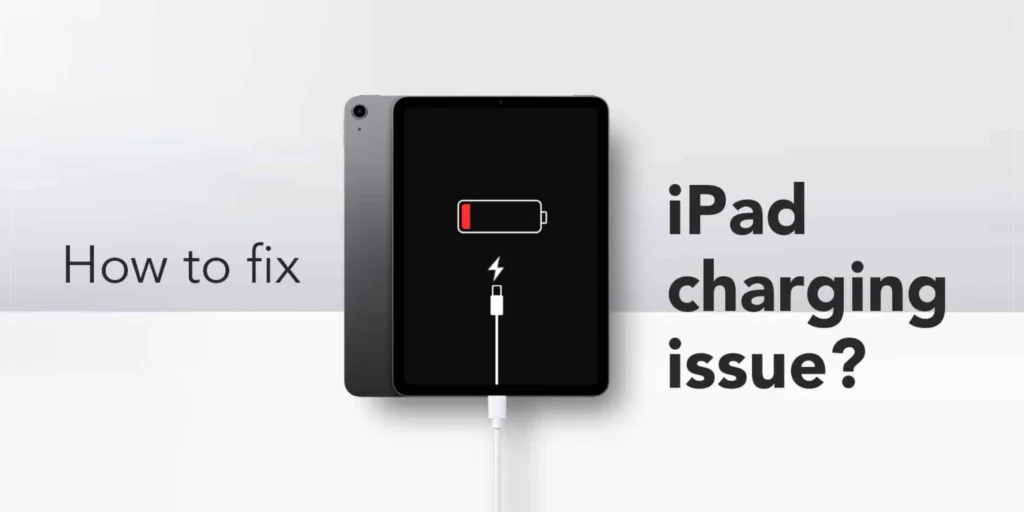
An iPad is one of the most useful devices for work, entertainment, education, and communication. Whether you use it for streaming videos, attending online classes, gaming, or professional tasks, a charging issue can quickly become frustrating. One of the most common problems users face is an iPad not charging properly or refusing to charge altogether.
Understanding the “iPad Not Charging” Problem
When an iPad fails to charge, the issue can appear in different ways:
- The battery percentage does not increase
- The charging icon does not appear
- The device charges very slowly
- The iPad only charges when turned off
- A “Not Charging” message appears on the screen
Each of these symptoms may point to a different underlying problem.
Common Reasons Why an iPad Is Not Charging
Several factors can prevent an iPad from charging correctly. Understanding these causes is the first step toward solving the issue.
1. Faulty Charging Cable
One of the most common causes is a damaged or low-quality charging cable.
Over time, cables can wear out due to:
- Frequent bending
- Frayed wires
- Broken connectors
If the cable is damaged internally, it may stop delivering power to the iPad.
2. Defective Power Adapter
The charging adapter is equally important. Using a weak or incompatible adapter may cause slow charging or prevent charging entirely.
Some third-party adapters do not provide enough power for iPads, especially newer models that require higher wattage.
3. Dirty Charging Port
Dust, lint, and debris can accumulate inside the charging port, blocking the connection between the cable and the device.
Even a small amount of dirt can interrupt charging.
4. Software Issues
Sometimes the problem is not hardware-related. A software glitch or outdated operating system may interfere with charging functionality.
This can happen after updates or app conflicts.
5. Battery Health Problems
Like all rechargeable batteries, iPad batteries degrade over time.
Signs of battery wear include:
- Rapid battery drain
- Overheating
- Failure to hold a charge
If the battery is severely degraded, the iPad may stop charging properly.
6. Overheating
Apple devices include safety features that pause charging if the device becomes too hot.
Excessive heat can result from:
- Direct sunlight
- Heavy gaming
- High-performance apps
When the temperature drops, charging usually resumes.
7. Liquid Damage
Exposure to water or moisture can damage internal components, including the charging port and battery circuitry.
Even minor liquid exposure may affect charging performance.
How to Fix an iPad That Is Not Charging
1. Check the Charging Cable and Adapter
Start with the basics.
- Inspect the cable for visible damage
- Try a different Apple-certified cable
- Use another adapter with the correct wattage
Using official or certified accessories is highly recommended.
2. Clean the Charging Port
A dirty charging port is a surprisingly common issue.
To clean it safely:
- Turn off the iPad
- Use a soft brush or wooden toothpick
- Gently remove lint or debris
Avoid using metal objects that may damage the port.
3. Restart the iPad
A simple restart can resolve temporary software glitches.
To restart:
- Hold the power button
- Slide to power off
- Turn the device back on after a few seconds
Then reconnect the charger.
4. Update iPadOS
Outdated software can sometimes create charging issues.
To update the system:
- Open Settings
- Go to General
- Tap Software Update
Installing the latest version may fix bugs affecting charging.
5. Force Restart the Device
If the iPad is frozen or unresponsive, a force restart may help.
The process varies depending on the model, but it generally involves pressing a combination of buttons until the Apple logo appears.
6. Let the Battery Drain Completely
In some cases, battery calibration issues can confuse the system.
Allow the battery to fully drain, then charge it uninterrupted to 100%.
This may help recalibrate the battery indicator.
7. Avoid Using the Device While Charging
Running demanding apps while charging can slow down or interrupt the charging process.
For faster charging:
- Close unnecessary apps
- Turn on airplane mode
- Avoid gaming during charging
Understanding the “Not Charging” Message
Some users see a “Not Charging” notification even when the cable is connected.
This often happens when:
- Using a low-power USB port
- Connecting to an old computer
- Using an underpowered charger
Switching to a wall adapter with higher wattage usually solves the issue.
Slow Charging Problems
If your iPad charges very slowly, possible causes include:
- Weak power source
- Background app activity
- Faulty cable
- Battery aging
Using a fast charger compatible with your model can significantly improve charging speed.
Wireless Charging and iPads
Most current iPads do not support full wireless charging like iPhones. However, some accessories provide limited wireless solutions.
If using external charging accessories, ensure they are compatible and certified.
When to Seek Professional Repair
Sometimes troubleshooting is not enough.
You may need professional assistance if:
- The charging port is physically damaged
- The battery is swollen
- The iPad overheats excessively
- The device shows no response at all
In such cases, visiting Apple or an authorized repair center is recommended.
Tips to Prevent Future Charging Problems
Use Certified Accessories
Always use Apple-certified cables and adapters.
Avoid Extreme Temperatures
Keep the device away from excessive heat or cold.
Handle the Charging Port Carefully
Do not force cables into the port.
Charge Regularly
Avoid letting the battery drain to 0% too often.
Battery Lifespan and Replacement
iPad batteries are designed to last for years, but they eventually lose efficiency.
Common signs that replacement may be needed include:
- Short battery life
- Unexpected shutdowns
- Charging interruptions
Replacing the battery can restore performance and extend the device’s lifespan.
Why Proper Charging Habits Matter
Good charging habits improve both battery health and overall device performance.
Simple practices like using quality chargers and avoiding overheating can make a significant difference over time.
Conclusion
An iPad not charging can be caused by a variety of issues, ranging from simple cable problems to more serious hardware failures. Fortunately, many charging issues can be resolved through basic troubleshooting steps such as cleaning the port, restarting the device, or replacing accessories.
Understanding the root cause is key to finding the right solution. By maintaining good charging habits and using reliable accessories, users can prevent many common problems and extend the life of their iPad.
If the issue persists despite troubleshooting, professional repair services from Apple or authorized technicians may be necessary.